
How to Update your Number on Sassa Application?
If you receive the SASSA SRD R370 grant, your registered cellphone number is extremely important.
Sassa SRD Change Phone Number
SASSA sends:
- OTP verification codes
- Status updates
- Payment notifications
- Banking update confirmations
If your phone number is lost, inactive, blocked, or changed, you may not be able to:
- Check your status
- Update banking details
- Submit an appeal
- Receive important SMS notifications
This 2026 guide explains the correct and official way to change your SASSA phone number safely.
Why Your Registered Phone Number Is Important
Your cellphone number is used to:
✔ Verify your identity through OTP
✔ Confirm banking updates
✔ Receive grant status notifications
✔ Submit reconsideration requests
⚠️ Important 2026 Rule:
Your SIM card must be registered in your name and linked to your ID number. If the SIM is not RICA-registered under your ID, you may face verification problems.
Can You Change Your SASSA Phone Number in 2026?
Yes — but SASSA has strict security rules.
You must:
- Be the original applicant
- Verify your identity
- Use the official SRD website
- Have access to your ID number
How to Change Your SASSA Phone Number Online (2026 Official Method)
Step 1: Visit the Official SRD Website
Go to:
👉 https://srd.sassa.gov.za
Always confirm the website address before entering your details.
Step 2: Select “Update Contact Details” or Similar Option
Look for the option to update:
- Phone number
- Contact details
- Mobile number
This option is available on the SRD portal.
Step 3: Enter Your ID Number
You will need to enter:
- Your 13-digit South African ID number
In some cases, you may also need:
- Your application reference number (if available)
Step 4: Provide Your New Phone Number
Enter your new mobile number carefully.
⚠️ Important:
- The SIM card must be active
- The SIM should be registered in your name
- You must have access to it to receive OTP
Step 5: OTP Verification
SASSA will send an OTP to your new phone number.
- Enter the OTP correctly
- Submit verification
Once verified, your number will be updated in the system.
2026 Security Rules You Must Know
In 2026, SASSA has strengthened fraud prevention.
✔ Only one contact change request may be allowed within 24 hours
✔ Your ID must match the original application
✔ Your SIM must be RICA-registered under your ID
✔ False change requests may be rejected
If verification fails, you may need to contact SASSA directly.
What If You Lost Your Old Phone Number?
If you no longer have access to your old number:
- You can still update your number through the SRD portal
- Identity verification will be required
- In some cases, additional checks may apply
If the online system does not allow changes, contact SASSA directly.
Alternative Ways to Update Your Phone Number
1️⃣ Call SASSA Toll-Free
📞 0800 60 10 11
Explain your situation and request guidance for updating your contact number.
2️⃣ Email SASSA (If Necessary)
You may contact:
📧 grantenquiries@sassa.gov.za
Include:
- Your full name
- Your ID number
- Old phone number (if known)
- New phone number
- Reason for change
Response times may vary.
3️⃣ Visit a SASSA Office (If Online Fails)
If you cannot update online:
- Visit your nearest SASSA office
- Bring your ID document
- Explain your situation
Staff may guide you through the process.
How Long Does It Take to Update?
Usually:
- OTP verification is immediate
- System update may reflect within 24–72 hours
- Status messages may resume shortly after
Always re-check your SRD status after updating.
Common Problems in 2026
“OTP Not Received”
- Ensure SIM is active
- Check network coverage
- Confirm number entered correctly
“Verification Failed”
- Ensure SIM is RICA-registered under your ID
- Confirm you are the original applicant
“Number Change Blocked”
- Wait 24 hours and try again
- Contact SASSA helpline
Frequently Asked Questions (2026)
Can someone else change my SASSA phone number?
No. Only the original applicant can update their registered number.
Is there a fee for changing my phone number?
No. SASSA does not charge any fee for updating contact details.
Can I change my phone number multiple times?
There may be system limits. Frequent changes can trigger security checks.
What if my SIM is registered under someone else’s name?
You should update your SIM registration to match your ID. SASSA verification may fail if the SIM is not linked to you.
Can I change my number without internet access?
Yes. You may call the SASSA toll-free number or visit a SASSA office.
Final Advice for 2026 Applicants
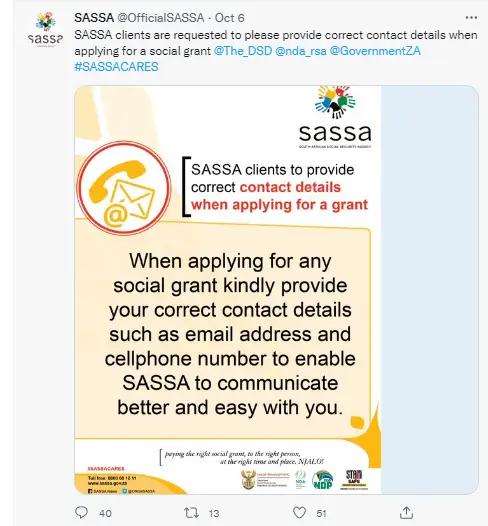
Your registered phone number is your digital key to:
- Status checks
- Banking updates
- Appeals
- Payment confirmations
Always:
✔ Keep your SIM active
✔ Ensure it is registered under your ID
✔ Use only the official SRD website
✔ Never share your OTP
Updating your SASSA phone number in 2026 is simple — as long as you follow the official process carefully.
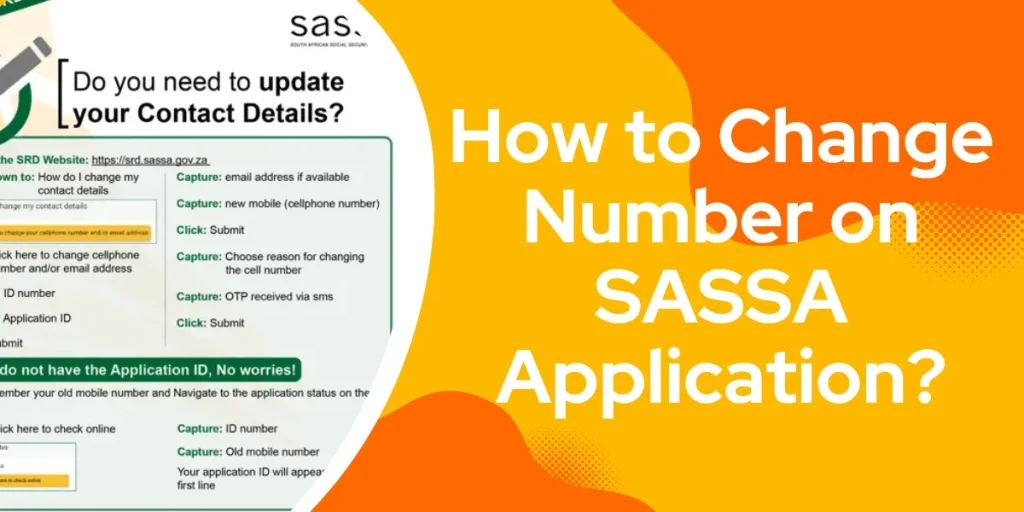
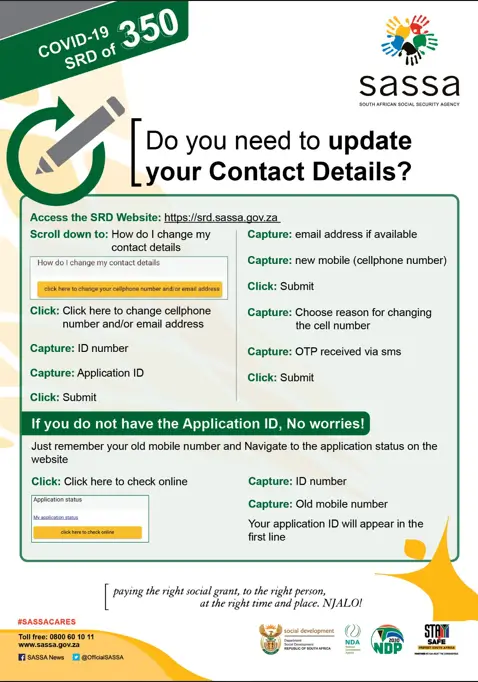
1. For those who have an application ID
- Click on SASSA’s website link: https://srd.sassa.gov.za/sc19/contact.
- To update your phone number or email for your COVID-19 SRD R350 grant.
- Enter your 13-digit South African identity number along with the 6-digit Application ID (AppID) assigned by SASSA during your application or reapplication.
- Click “Submit” button.
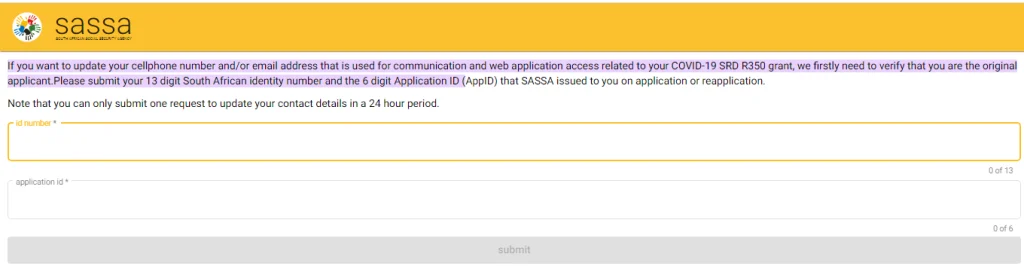
- After that, provide your new contact number.
- You will be asked the reason why you want to change your contact details.
- They will send you an OTP via SMS on the new phone number you entered.
- Enter the OTP in the bar and tap “submit.”
Your phone number will successfully be changed, and you will be informed about all the upcoming details on the new provided contact.
2. For those who do not have an application ID
If you do not have an application ID with SASSA, the first step is to create one.
- Here is the link to SASSA’s official website: https://srd.sassa.gov.za/
- scroll down and click on the link “proceed to next” if you are a South African citizen or ID holder.
- Scroll down until you find the option “Sassa Application Status.”
- A bar yellow in color will appear “Click here to check online .”Tap on the bar.
- Then type your ID number and submit.
- Next, add your old phone number.
- Your application ID will be created, and you can now use it to change your contact number.
From here, follow the same steps mentioned previously for changing your contact with the application ID.
Your phone number will be changed. And all the new details will be sent to the newly added contact. Hence, you would not miss out on any information.
3. Update your phone number by contacting SASSA’s official email address
If you are looking for a way to change your contact number with SASSA other than the website, here is what you need to do. The most convenient way to do so is by dropping a mail at their official email address (grantenquiries@sassa.gov.za). You may contact them and tell them that you want to change your phone number. Mention the reason as well.
4. Contact SASSA’s Toll-Free Call Centre
Another close-at-hand way to update your phone number without the inconvenience is to dial SASSA’s toll-free number, 0800 60 10 11, and ask them to change your previously given phone number.
All of these ways are convenient enough to help you change your contact details with SASSA. In case of any further inconvenience, you may contact the agency and get your issues resolved directly. Find here the contact details of the Sassa regional offices.
Wrapping It Up
The aforementioned ways will help you out if you want to change your Mobile Number with SASSA. That said, you’re good to go with it!
In case of any further inconvenience, you may contact the agency and get your issues resolved directly.
Read also about Sassa’s Reference number.
Wrapping It Up
The aforementioned ways will help you out if you want to change your Mobile Number with SASSA. That said, you’re good to go with it!